


Requesting Account Deletion and Reversing a Deletion Request in the One Accord Outreach App

Overview
This guide will walk you through how to request the deletion of your account and the steps to reverse your deletion request within the 7-day period if you change your mind.
Steps to Request Account Deletion
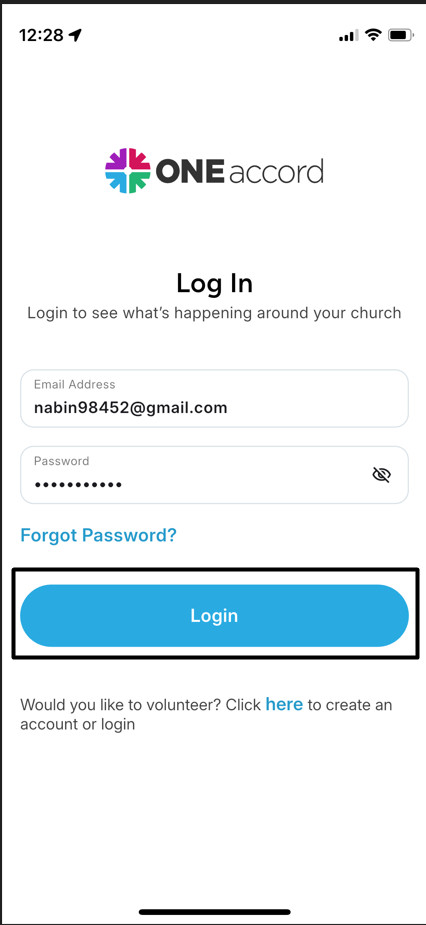
Step 1 : Log into Your Profile:
- Go to the login page for your church management account.
- Enter your credentials (username and password) and sign in.
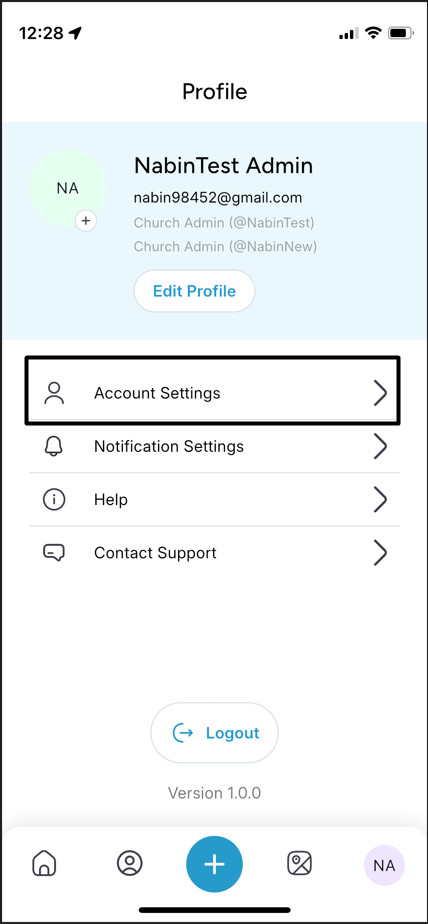
Step 2: Navigate to Account Settings:
- From your profile dashboard, find and select the Account Settings or Profile Settings option.
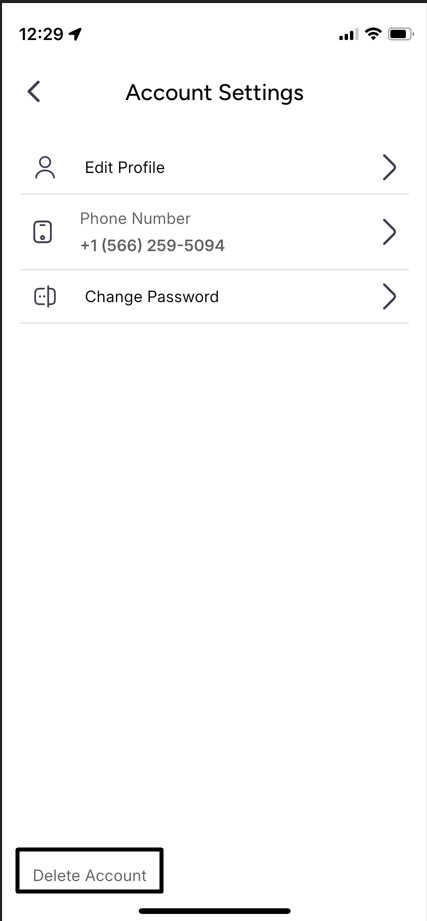
- In the settings menu, locate the Delete Account option.
Step 3: Request Deletion:
- Click on Delete Account to initiate the deletion request.
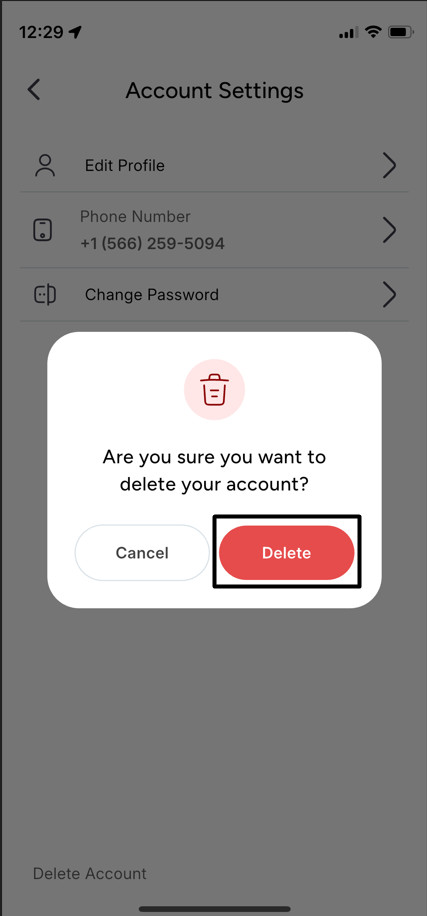
- A confirmation prompt will appear with information about the 7-day window to reverse the request if needed.
- Confirm by selecting Delete.
Step 4: Review the 7-Day Cancellation Period:
- From the date of the deletion request, your account remains active for a 7-day window.
- During this time, you can still log in and cancel the deletion if you wish to keep your account active.
Steps to Cancel a Deletion Request
Step 1 : Access Your Profile Again
- Log back into your account anytime within the 7-day period.
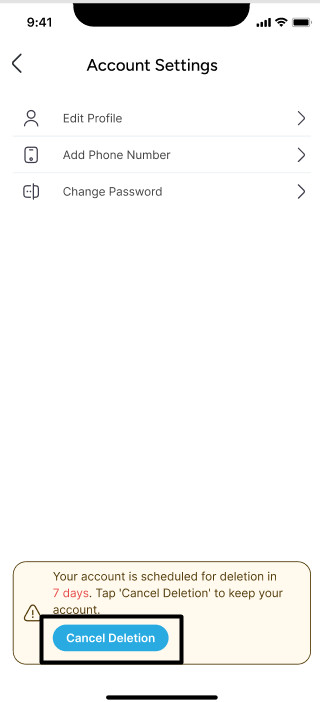
- You will see a notification about the pending deletion on your profile dashboard.
Step 2 : Cancel the Deletion Request
- Go to the Account Settings or Profile Settings menu.
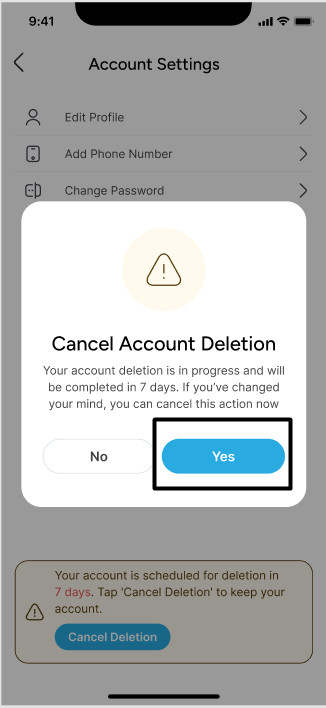
- Find the Cancel Deletion option and select it.
- Confirm your choice to cancel the deletion request, and your account will remain active beyond the initial 7-day window.
Step 3 : Confirmation of Cancellation:
- Once you cancel the deletion request, a confirmation message will be displayed, confirming that your account deletion has been successfully canceled.
Important Notes
- Account Deletion Timeline: If the deletion request is not canceled within the 7-day period, your account will be permanently deleted at the end of the 7th day.
- Notification Reminders: You may receive a reminder notification or email a few days before the account is deleted. Make sure to check your notifications and email inbox for any reminders about the deletion request.
- Data Recovery: After the 7-day period and the permanent deletion, data associated with your account may not be recoverable. If you are unsure about deleting your account, it is advisable to cancel the request within the given timeframe.
Contact Support
If you experience any issues during the deletion or cancellation process, please reach out to our support team for assistance. Provide your account details and any error messages, if applicable, to expedite the support process.