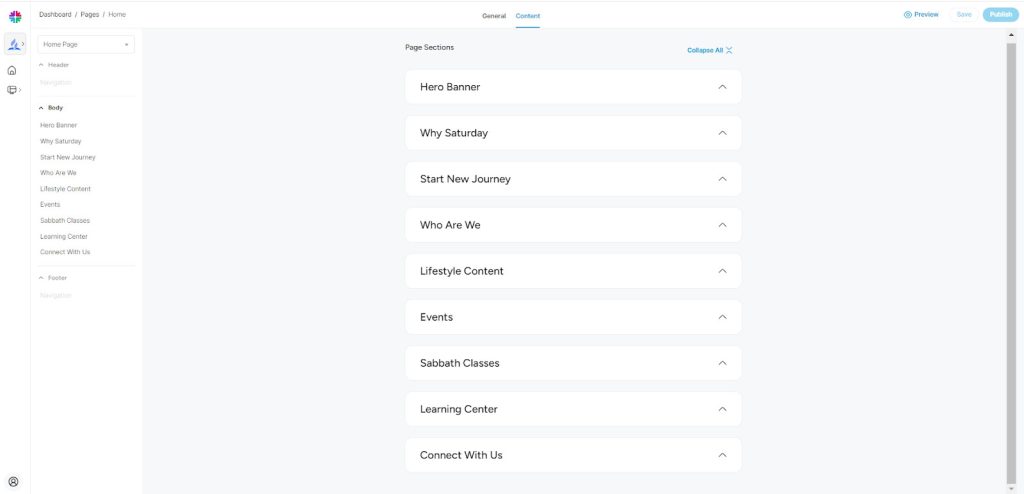
Edit Home Page Content

Step 1: Log in as a church admin using valid credentials. (Follow Task A: Login As Church Admin)
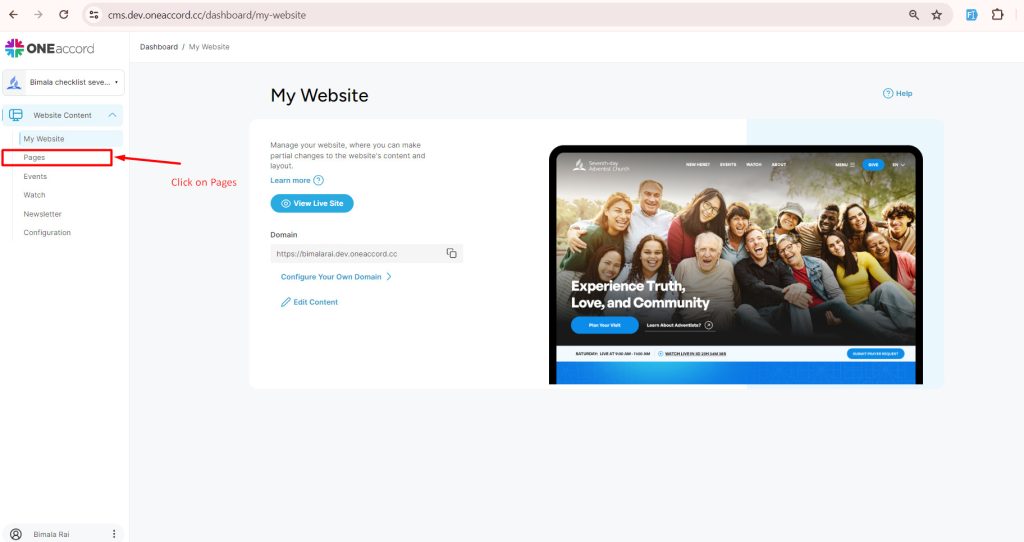
Step 2: Once logged in, you will be redirected to the Dashboard. Click on the "Pages" tab.
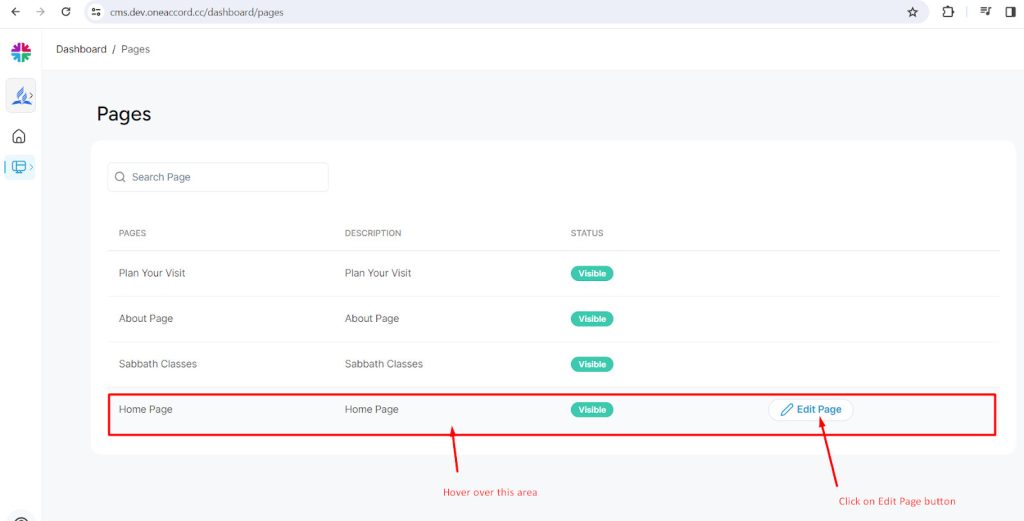
Step 3: Hover over the "Home Page" section; the "Edit Page" button will appear. Click on it to proceed.
You'll be redirected to a section where you can edit various local content visible on the Home Page of the church’s website. Follow the manual for detailed instructions on editing specific contents of the Home Page.