


How to Follow Up on a Bible Study Request in One Accord

Overview
When someone requests Bible studies through BibleStudyOffer.com or Bible Study Offer social media campaigns, the request is automatically added to your church’s One Accord dashboard in real time.
This guide explains:
- How to assign the request
- How to prepare for follow-up
- How to record study visits correctly
- How to manage Bible study progress in the app
Step 1: Open the Interest Profile
When a new Bible study request comes in:
- A notification appears in One Accord
- The interest is added to the Interest List
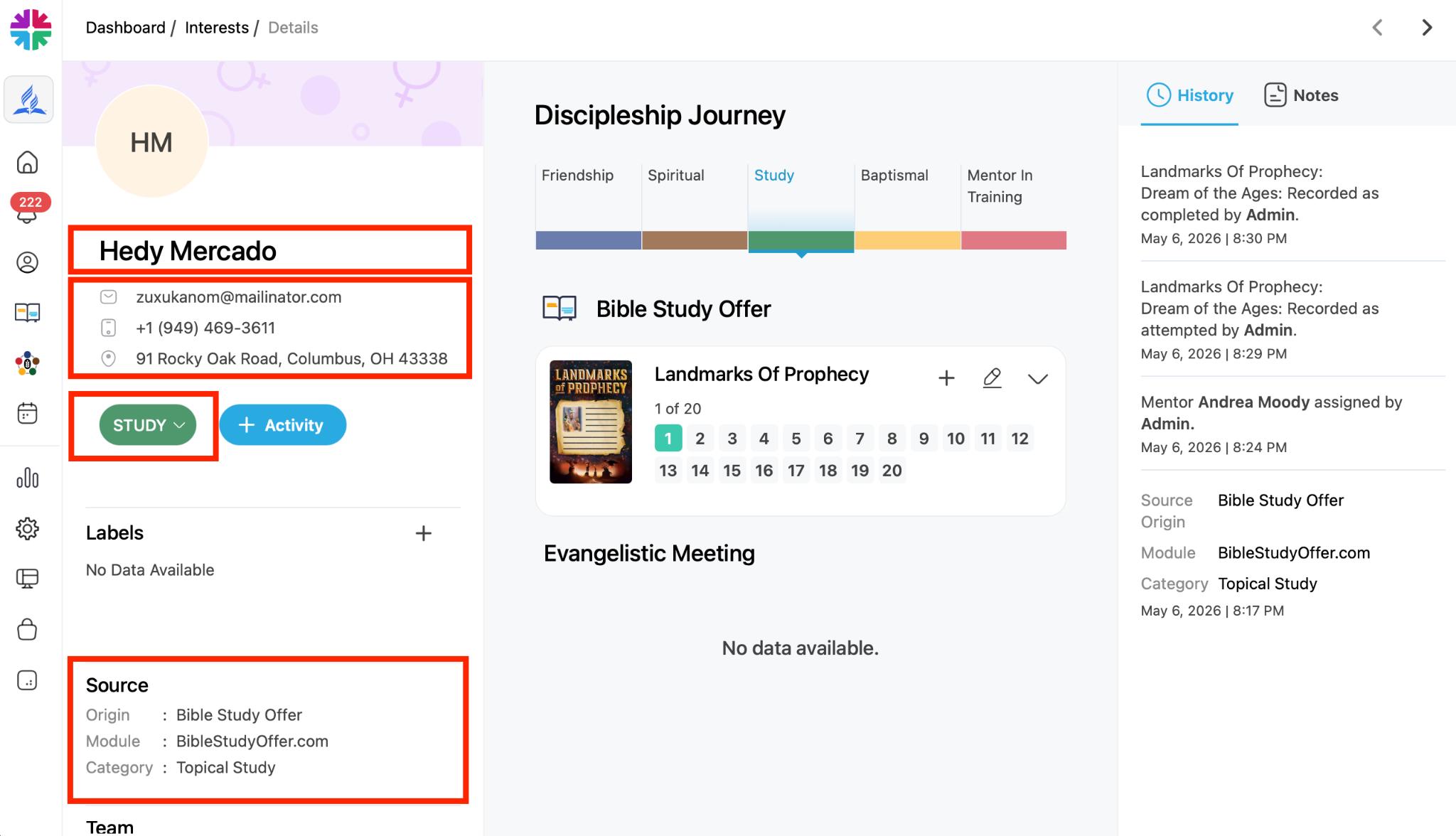
- The request includes the contact’s information and the source of the interest lead. Click the interest’s profile to view:
- Contact information
- Address
- Interest source
- Discipleship stage
New Bible study requests automatically begin in the:
- Study phase
Step 2: Assign a Bible Study Leader
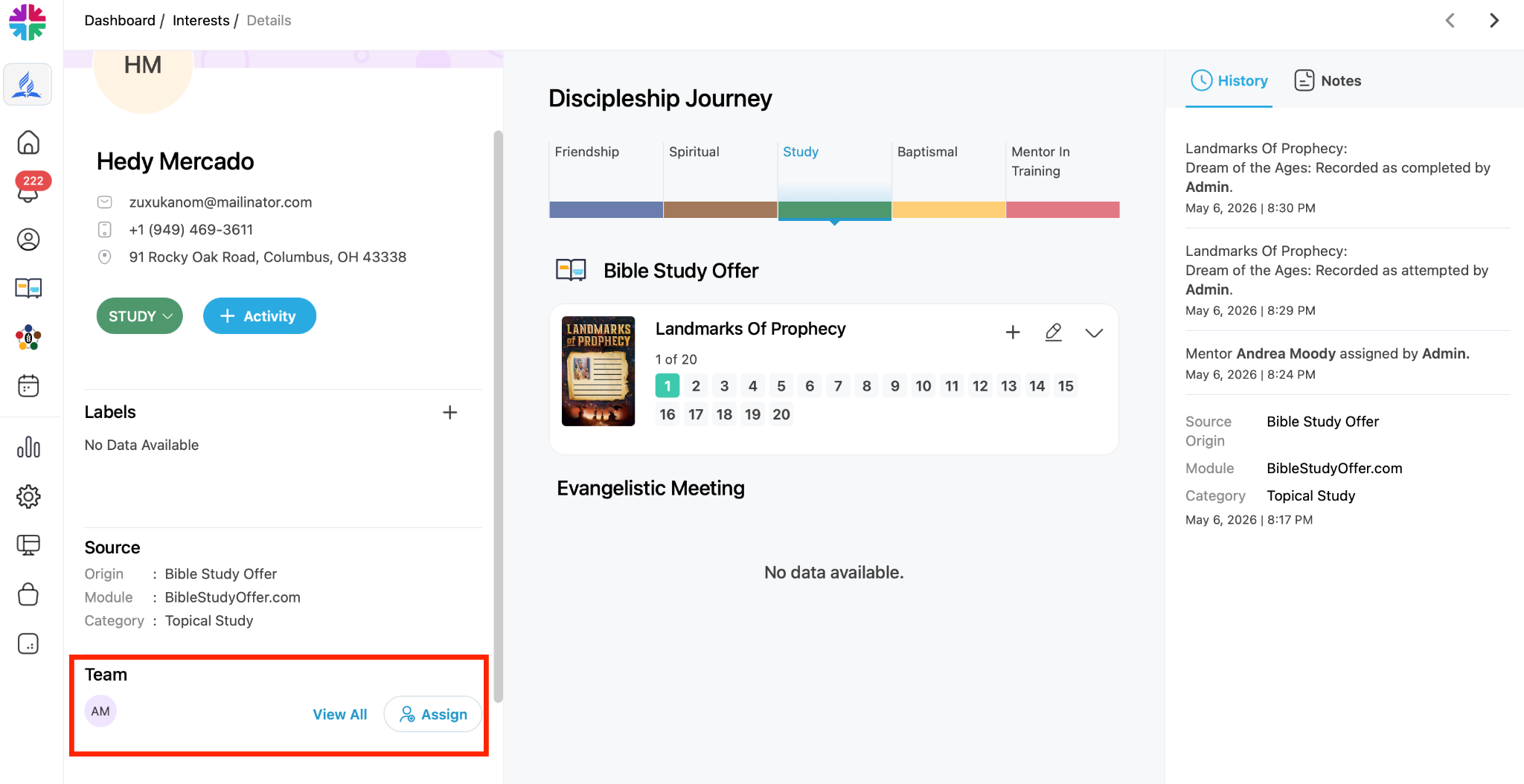
Every Bible study interest should be assigned to a specific team member.
To Assign a Leader
- Open the interest profile
- Select Assign. For more information on how to assign an interest, please see [linked article].
- Choose the study leader or mentor
- Save the assignment
Once assigned:
- The leader’s name appears on the interest
- The leader receives a notification or email
Step 3: Prepare for the Visit
Before visiting the interest, be sure to gather your materials.
Recommended Materials:
- Bible Study Presentation Folder
- Include: Lesson 1 from each Bible study series your church offers
- “Sorry We Missed You” Note
- Use this if no one answers the door.
- One Accord Outreach App
- Use the app to:
- Access the address, contact information, request source and study information
- Record the visit in real time
- Track study progress
- The app stores all study activity and progress for future reference.
- Use the app to:
To download the app, visit one of the following links:
Android: https://play.google.com/store/apps/details?id=com.oneaccord.outreach&hl=en_US
IOS: https://apps.apple.com/in/app/one-accord-outreach/id6702016645
Step 4: Visit the Interest
Go directly to the person’s address and deliver the requested Bible studies.
Recommended Approach
Introduce yourself briefly and explain that you are delivering the Bible studies they requested.
Important:
Do not:
- Call ahead
- Text beforehand
- Email first
The goal is to fulfill the request directly and personally.
Step 5: Offer Bible Study Options
Present the available Bible study series.
Examples may include:
- Landmarks of Prophecy
- It Is Written study guides
- Children’s Bible studies
You can also offer:
- In-person Bible study coaching (personal Bible studies)
- Drop off studies
- Joining a group study
Step 7: If No One Is Home
If the person does not answer:
- Leave a “Sorry We Missed You” note
- Optionally leave study materials
- Return later for another attempt
Even an attempted delivery should still be recorded..
Step 8: Add a Study Activity
To Record the Visit
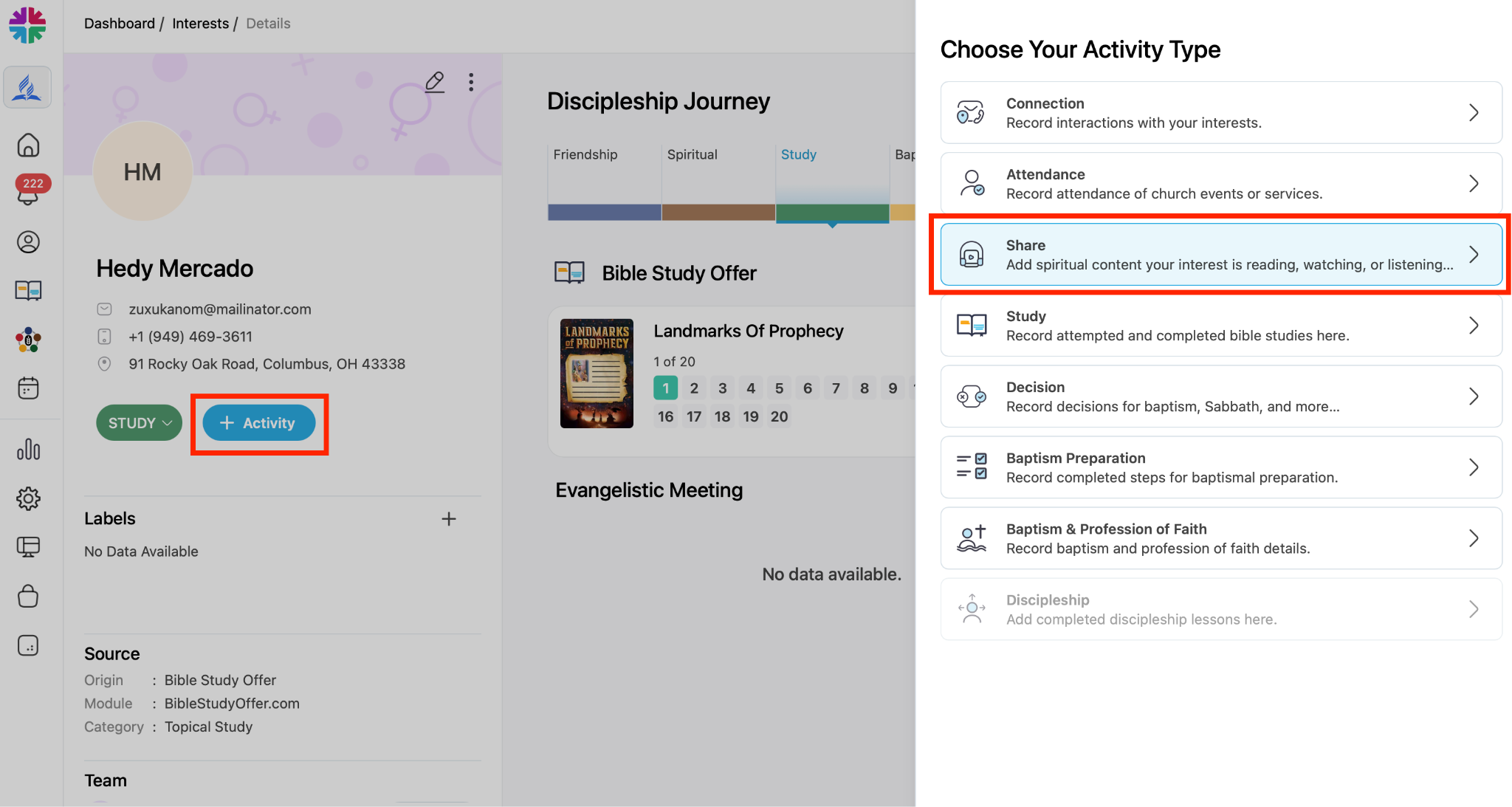
- Open the interest profile
- Tap Add Activity
- Select Study
Important
Do NOT record the visit as:
- Connection
- Text
- Phone call
Bible study requests must be logged as a Study Activity.
Step 9: Choose the Correct Study Status
Use when “Completed” when the study materials were successfully delivered
Use when “Attempted” when
- You visited but no one answered
- Delivery could not be completed
Both options satisfy the delinquency protocol requirement.
Step 10: Complete the Study Details
When logging the study, record:
- Date
- Study type
- Bible school
- Study series
- Lesson delivered
- Notes from the visit
Example notes:
- “Had a brief conversation at the door.”
- “Interest seemed engaged.”
- “Will return next week with Lesson 2.”
Save the activity when finished.
Benefits of Recording Visits
The system automatically tracks:
- Which lesson each interest is on
- Which study series they selected
- Previous visit notes
- Follow-up history
This allows study leaders to manage multiple interests without relying on memory.
Best Practices:
Recommendations
- Deliver studies personally
- Record visits immediately
- Use the app consistently
- Offer guided study support
Avoid
- Logging visits as general connections
- Delaying activity records
- Relying only on texts or emails