


Migrating Domain From Adventist Church Connect

Case A: If you have a membership with eAdventist, you can follow the following steps :
Step 1
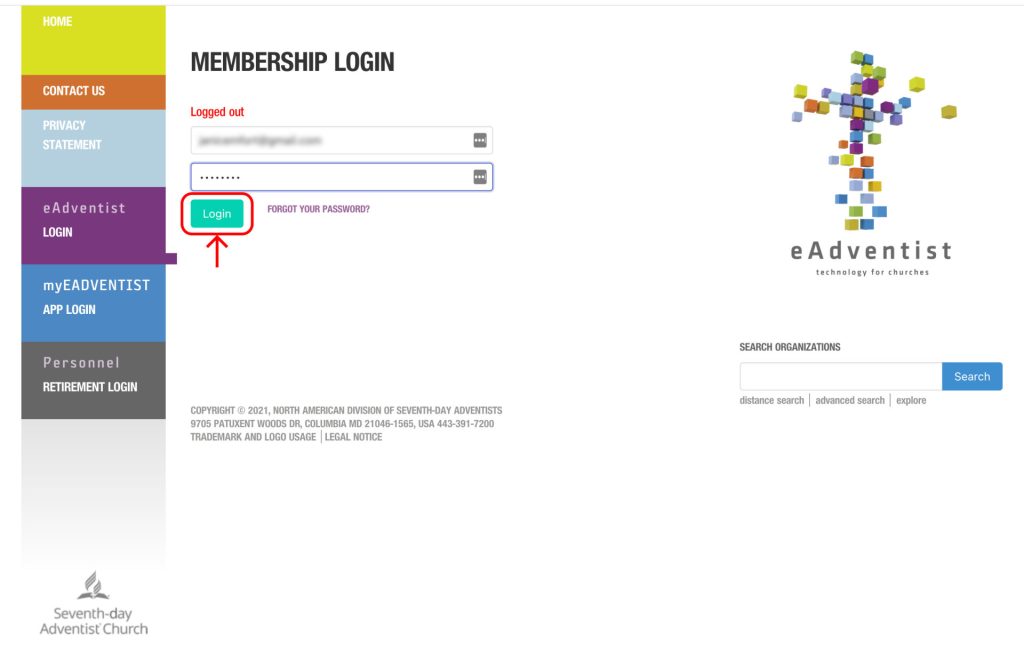
Step 1.1: Login to eAdventist as a member with valid credentials.
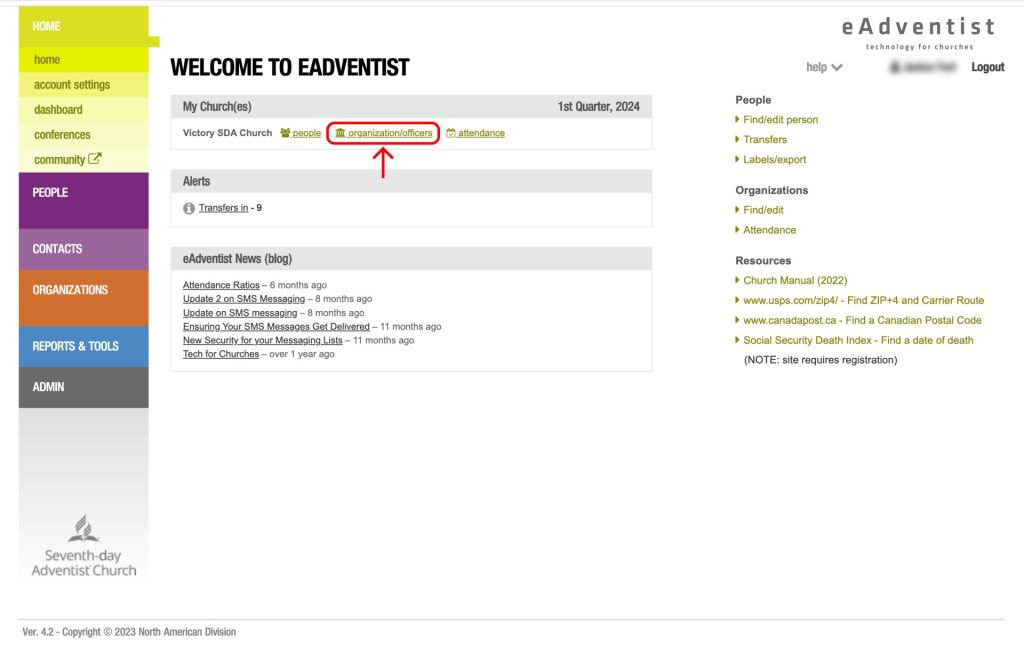
Step 1.2: Click on the "organization/officers" button.
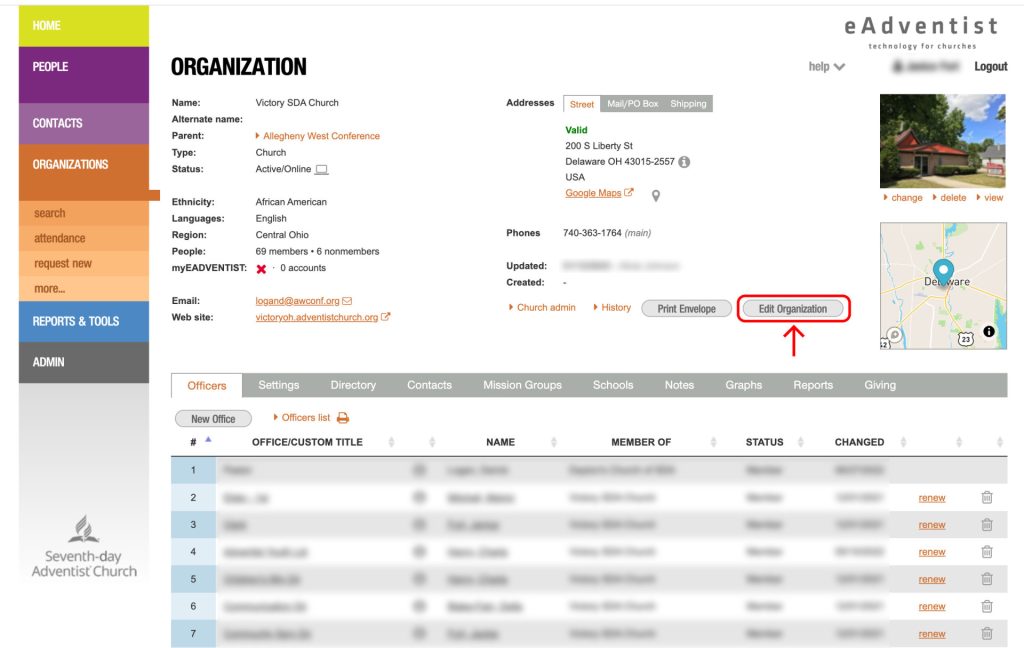
Step 1.3: On the organization detail page, click on the "Edit Organization" page.
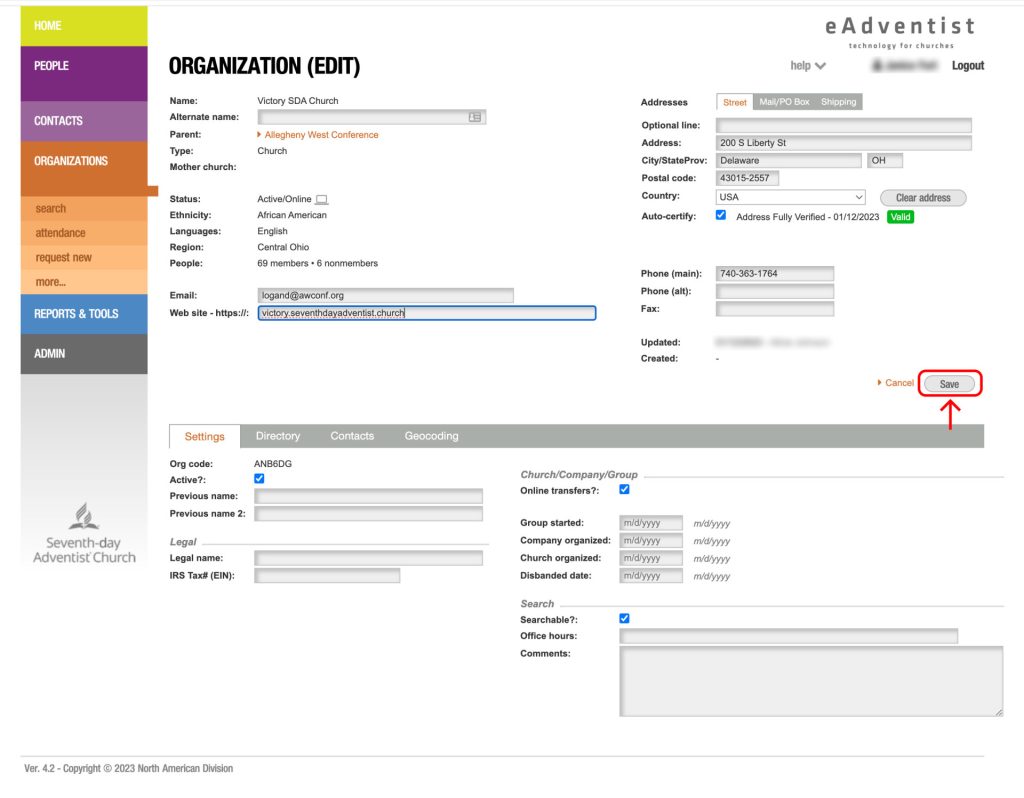
Step 1.4: On the website field of the edit organization page, provide the new website URL.
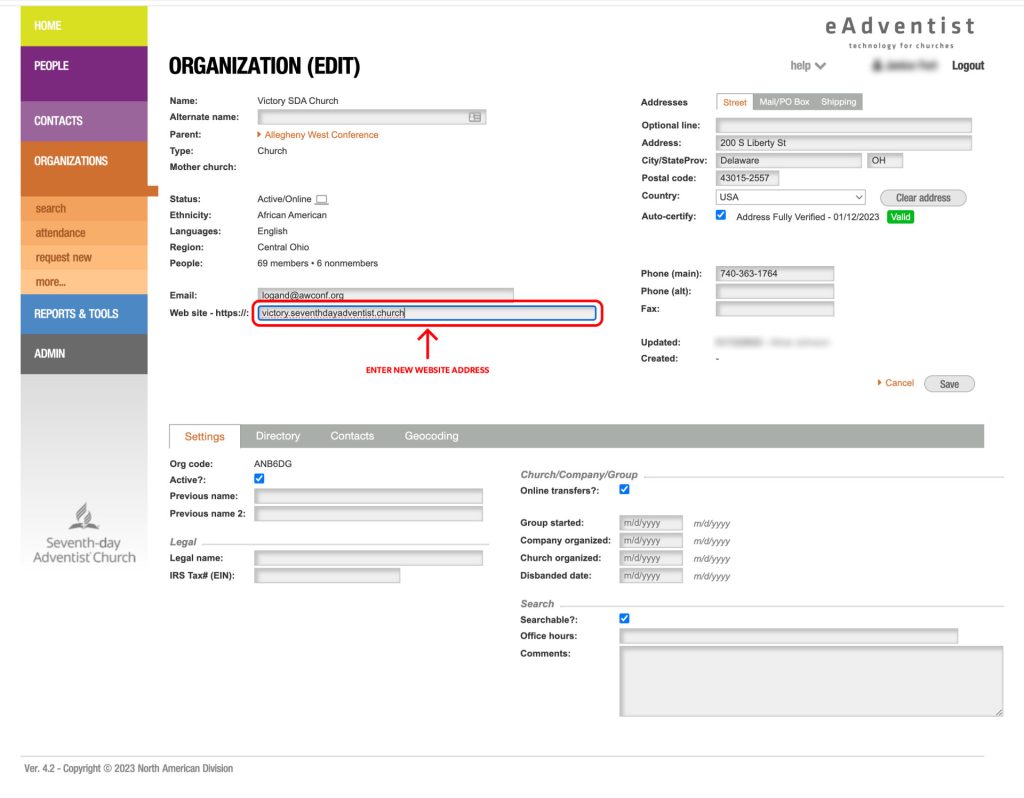
Step 1.5: Click on the "Save" button.
Step 2 :
Contact Lonny at Adventist Church Connect and request a downgrade of your existing site.
Lonny's contact details :
Phone number : (877) 518-0819
Email address: lonny@adventsource.org
If you do not have an Adventist Church Connect website, please view the instructions for setting up a custom domain.