


How To Record An Activity

On a Desktop Computer or Laptop:
Step 1: Open Interest List
- Sign into your One Accord account. For instruction on how to sign in, please reference the article on “How to Sign In” [insert link to article]
- Go to your Dashboard
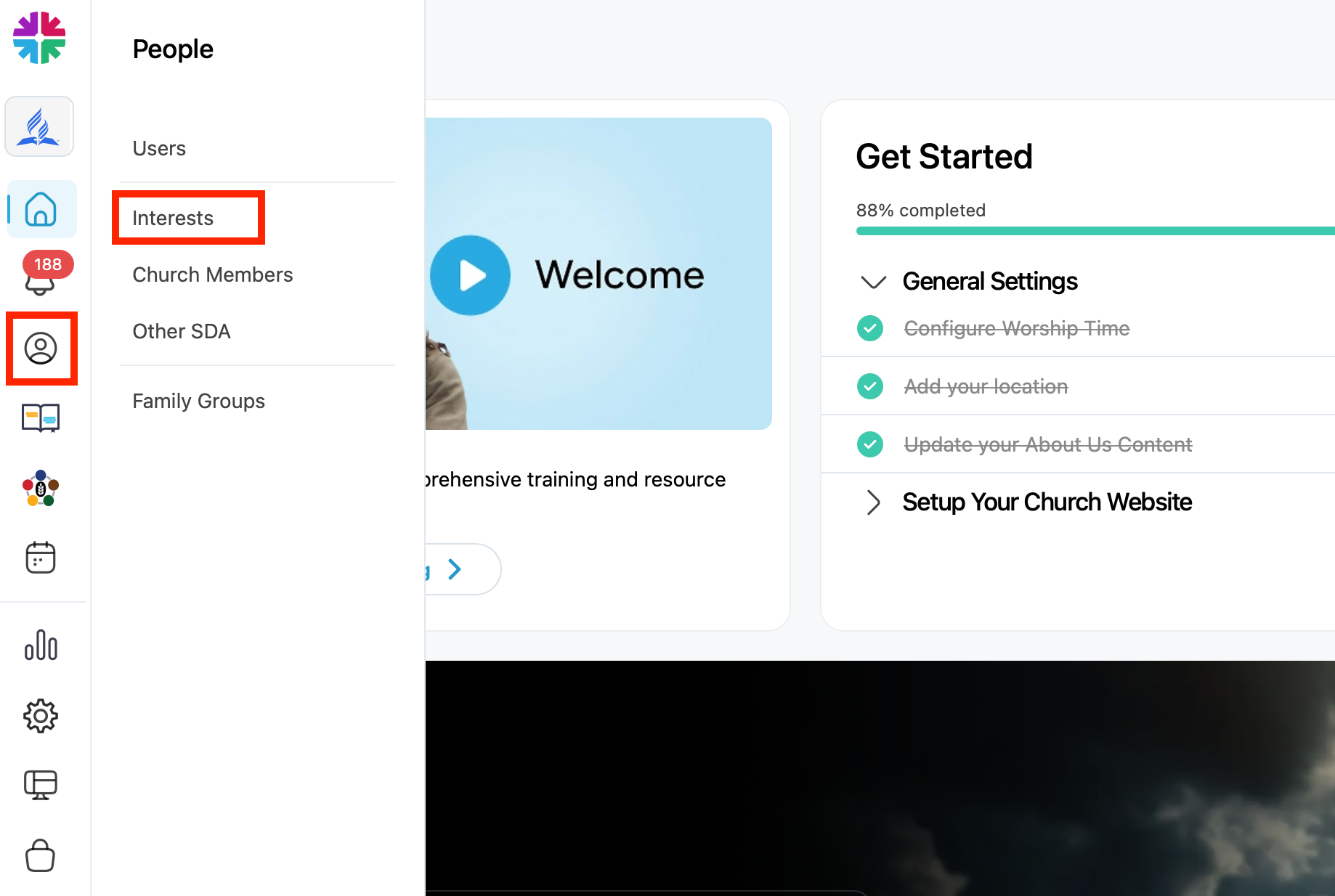
- Click the People icon on the left-hand menu
- Select “Interests”
Step 2: Select an Interest
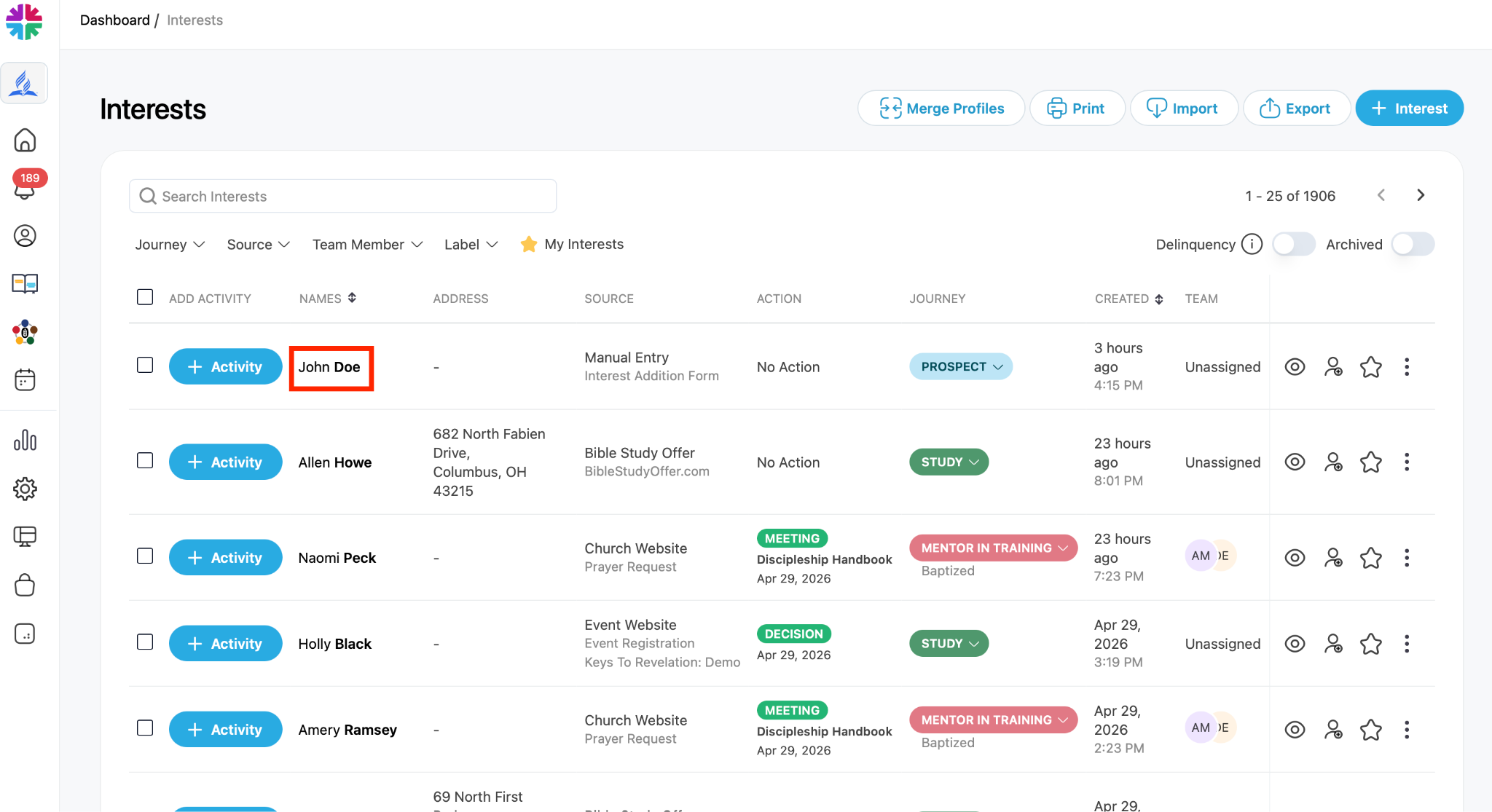
- Find the person you want to update
- Click their name to open their profile
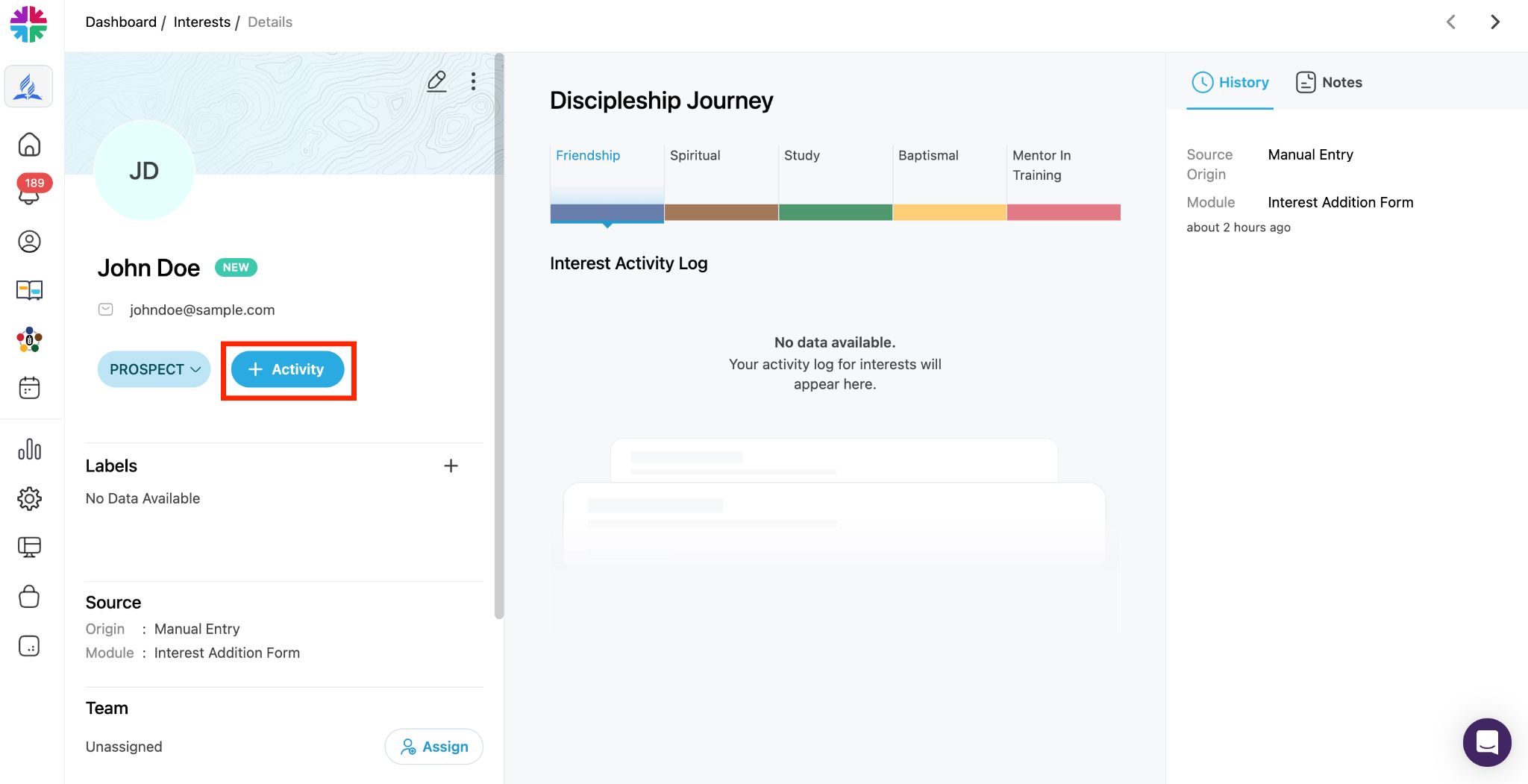
Step 3: Add Activity
- Click the blue “Add Activity” button
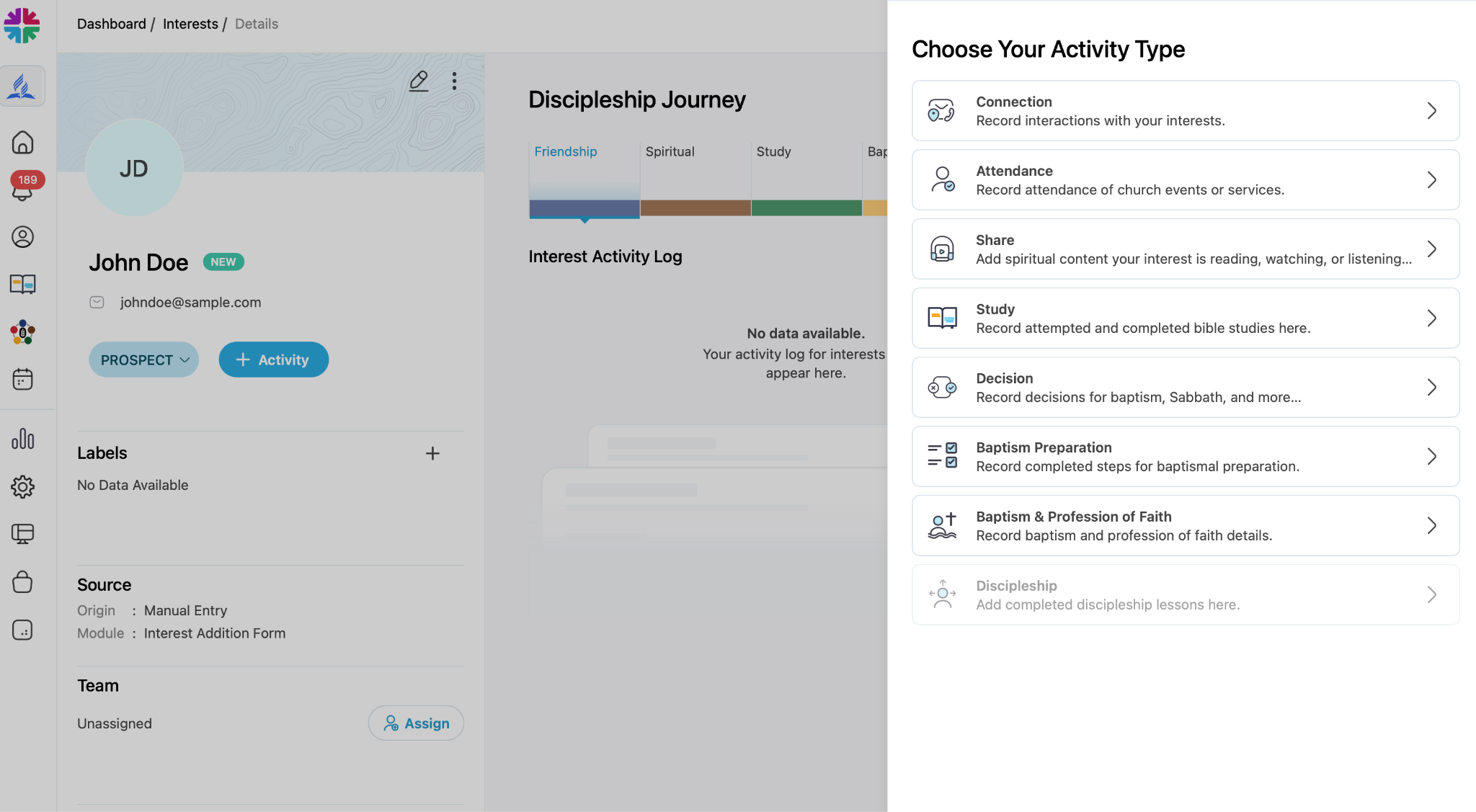
Step 4: Choose Activity Type
Select the appropriate activity category:
- Connection – Calls, visits, or general contact
- Attendance – Events attended (e.g., Sabbath School)
- Share – Sharing literature or media
- Study – Bible studies given or dropped off
- Decision – Commitments or spiritual decisions
- Baptismal Preparation – Baptisimal studies or clearing (e.g., Fundamentals of Faith)
- Baptism/Profession of Faith – Record the event and date
- Discipleship – Post-baptism growth activities (e.g., The Discipleship Handbook)
Step 5: Enter and Save Activity Details
- Fill out the details and date as prompted
- (Optional) Add a note
- Click “Save” to record the activity
On the Outreach Mobile App:
Step 1: Open the App
- Launch and Sign into the One Accord Outreach app
- Note: you can download the Outreach mobile app here
Step 2: Open the Interest List
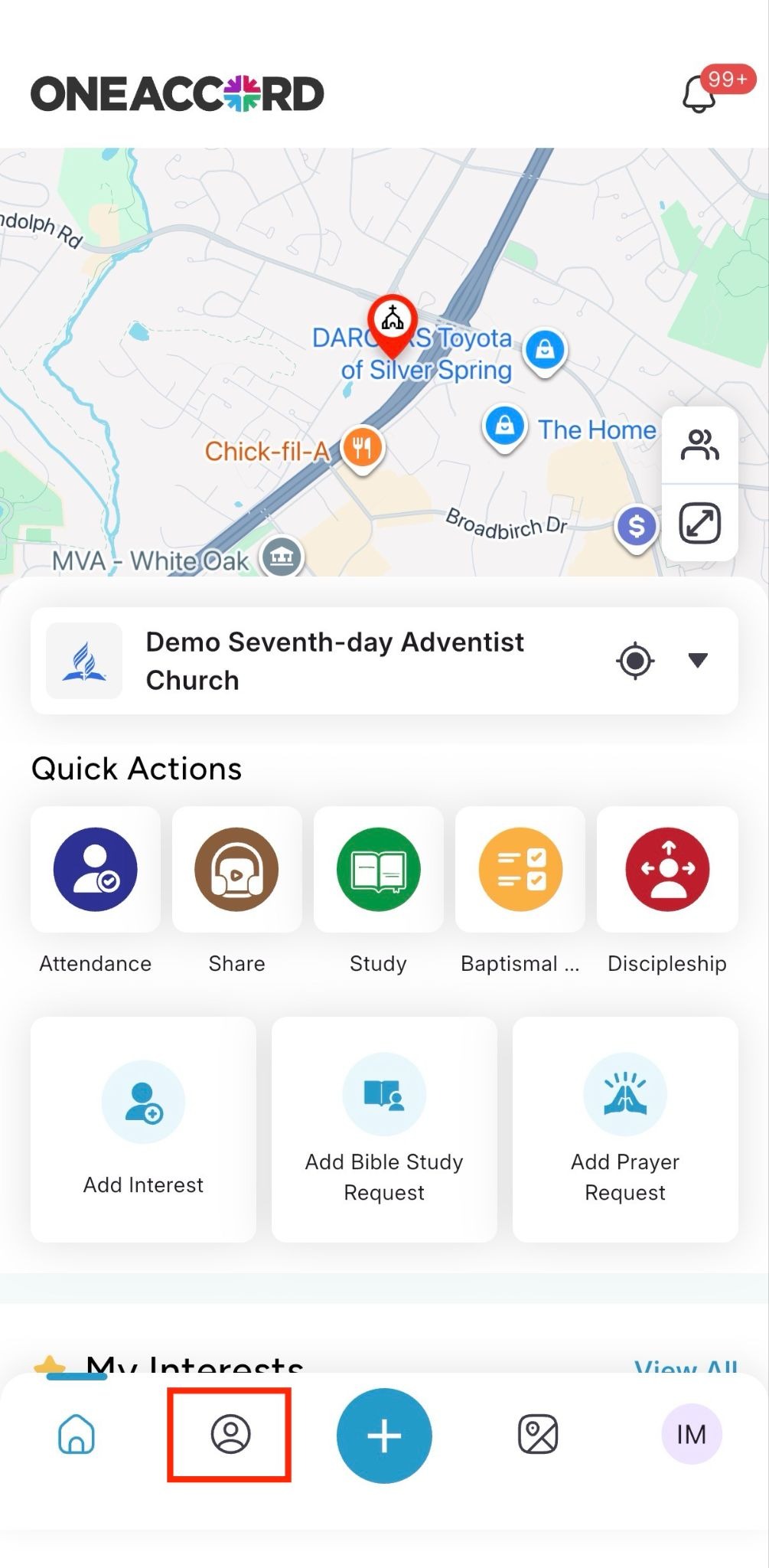
- Select the “People” icon in the menu at the of the screen. This will open up the interest list.
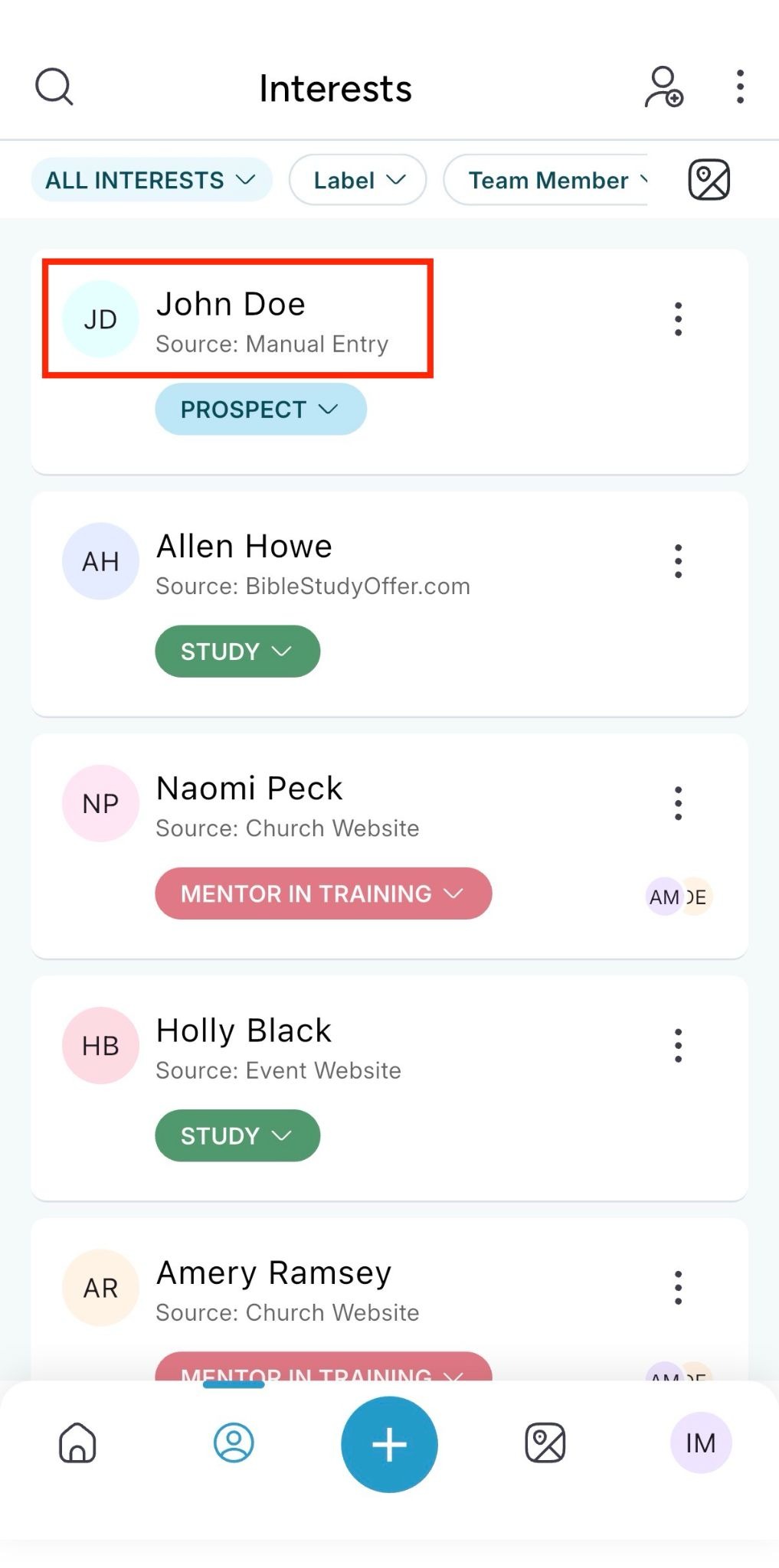
- Find the person you want to update
- Click their name to open their profile
Step 3: Add Activity
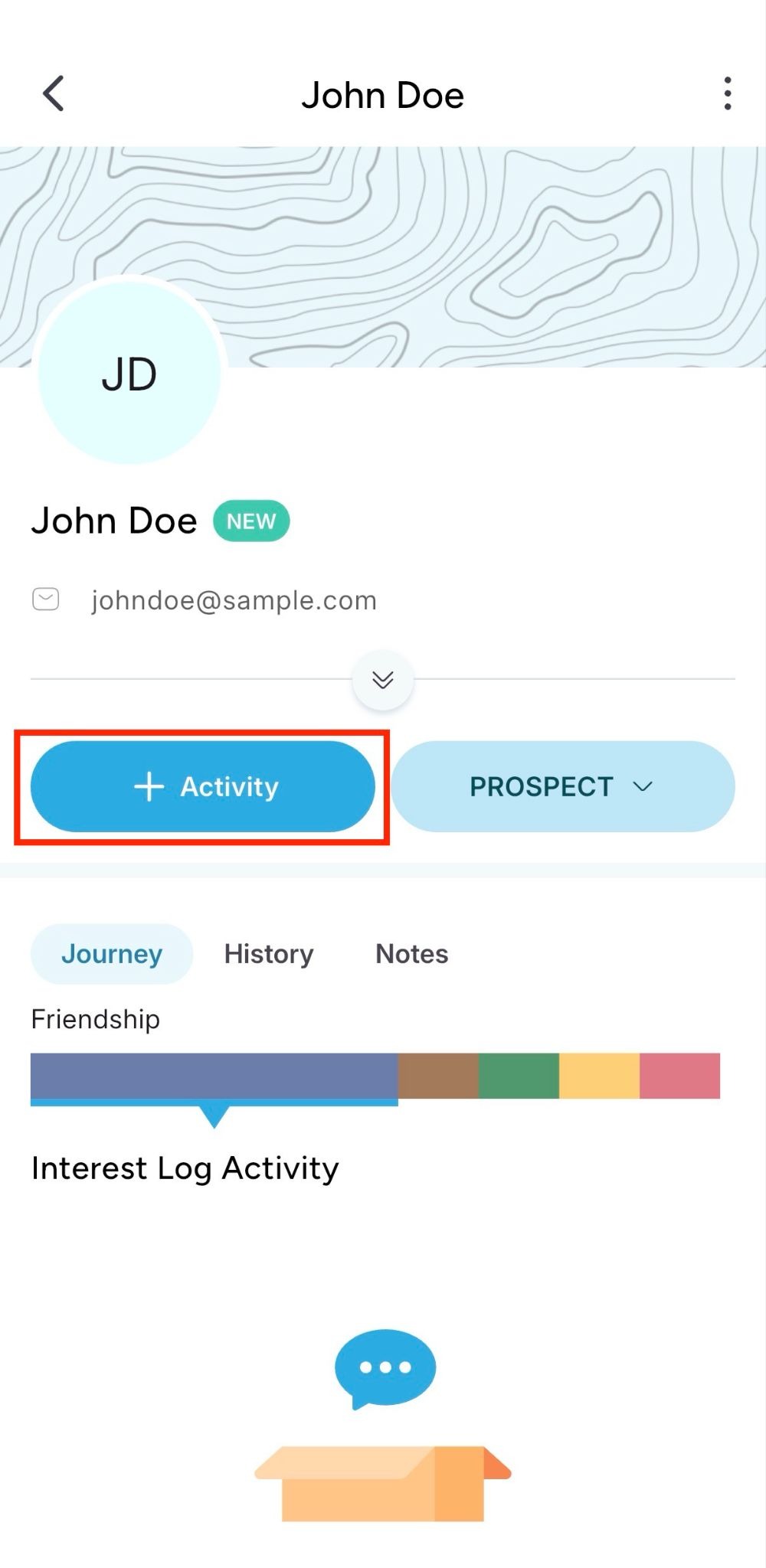
- Click the blue “Add Activity” button
Step 4: Choose Activity Type
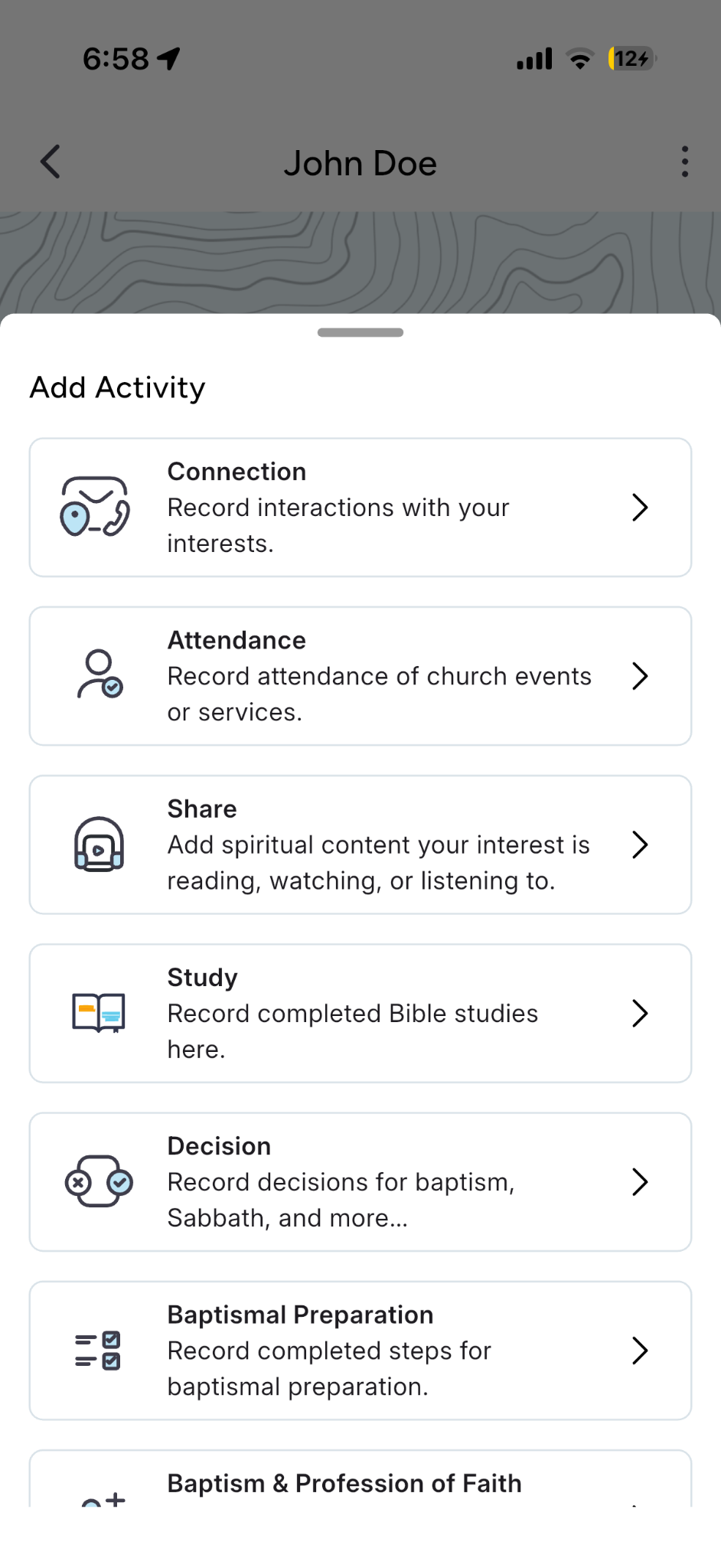
- Choose the appropriate activity category
Step 5: Enter and Save Activity Details
- Fill out the details and date as prompted
- (Optional) Add a note
- Click “Save” to record the activity
Whether you choose to record interest activities using your computer or the Outreach mobile app, the activity will now appear on that person’s profile, helping you track their Discipleship progress.