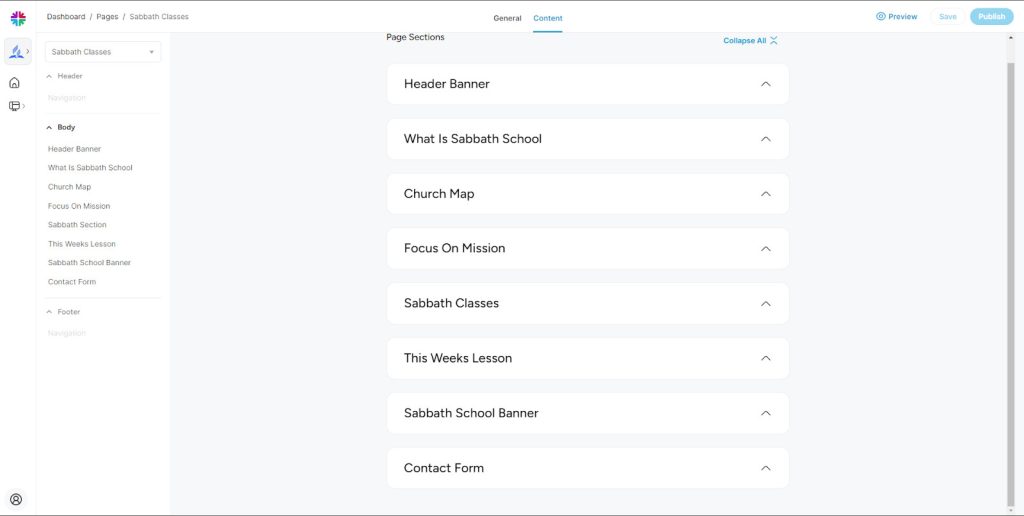
Edit Sabbath Classes Content User Manual

Step 1: Login as church admin with valid credentials.
(Upon successful login you will be redirected to Dashboard)
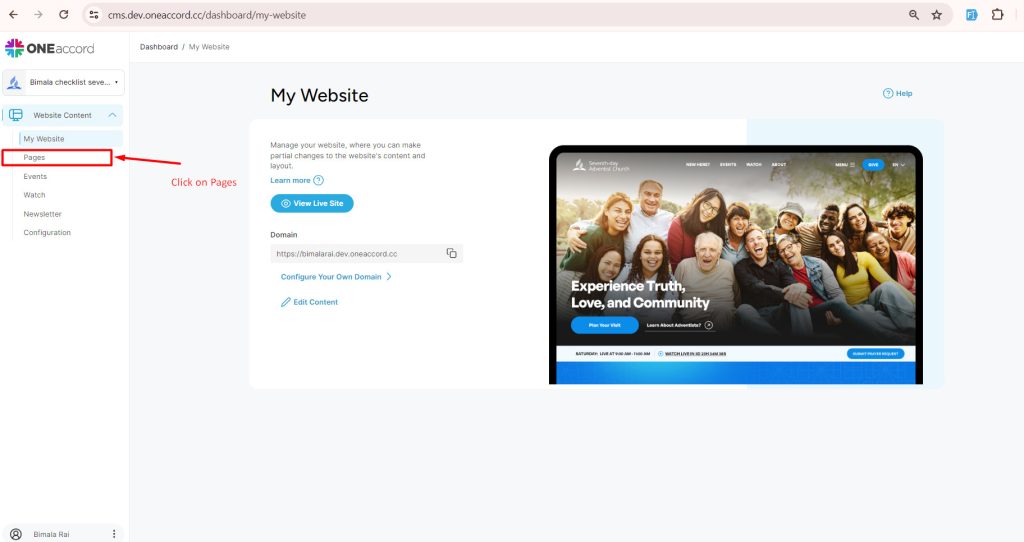
Step 2: Click on Pages from menu section.
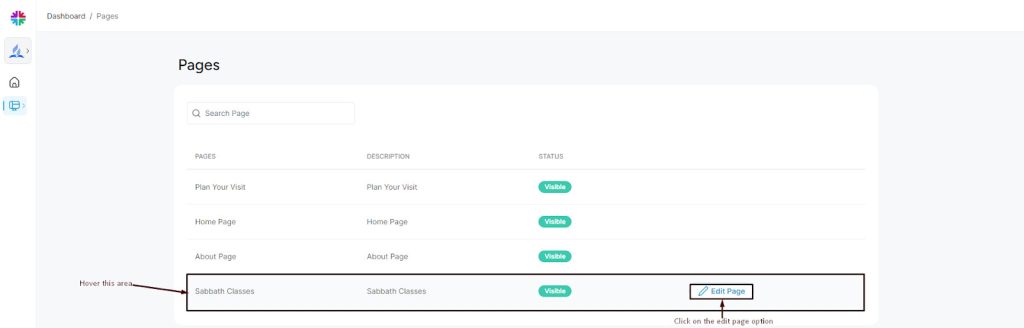
Step 4: Hover the mouse cursor over “Sabbath Classes” ; The “Edit Page” button will appear; Click on it.
You will be redirected to a section from where you can edit various local content visible on the Sabbath Clases of the church’s website. Follow the manual for editing specific contents of the Sabbath Classes.