


How To Assign A Mentor To An Interest

Step 1: Open the Interest List
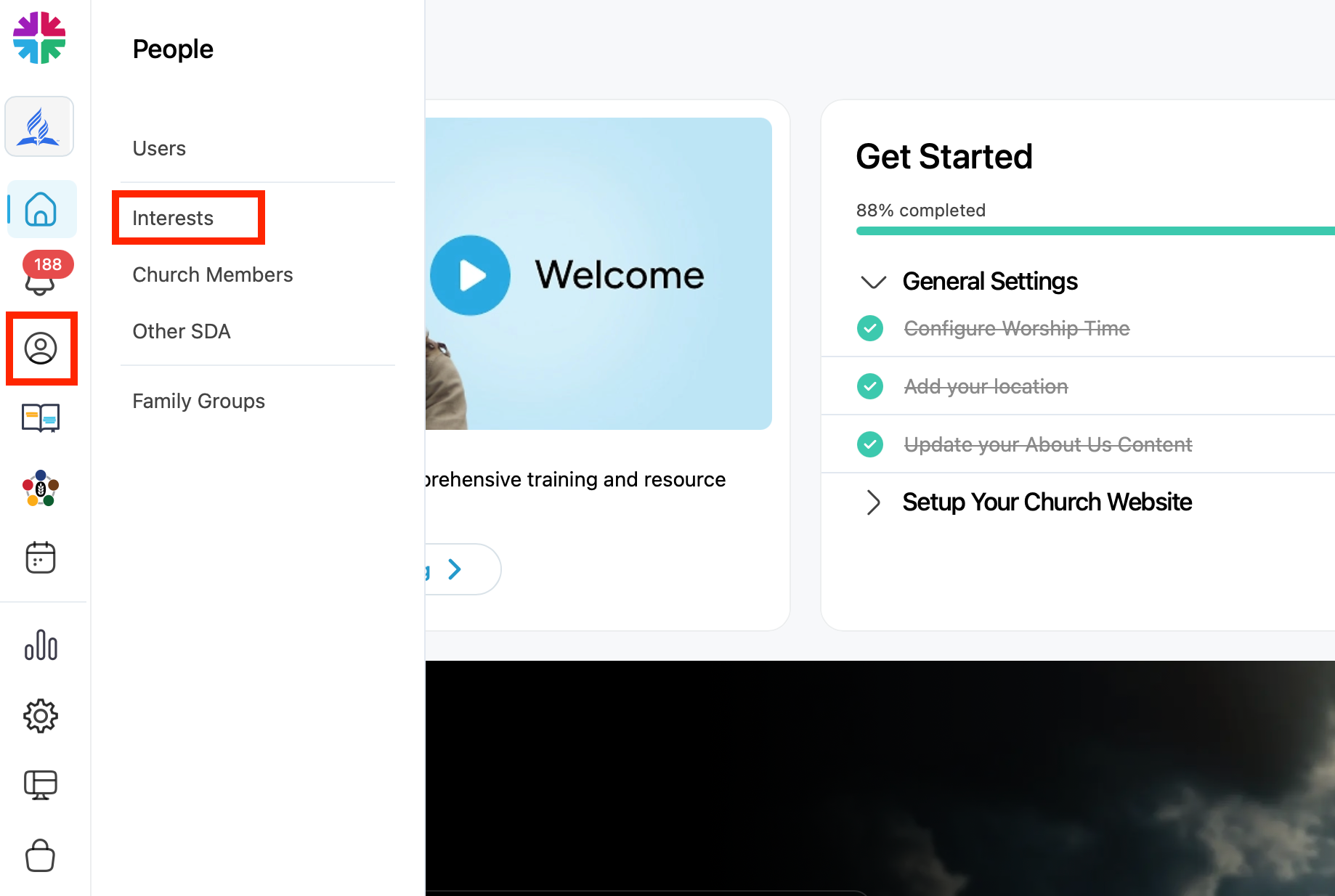
- Go to your Dashboard
- Click the People icon
- Select “Interests”
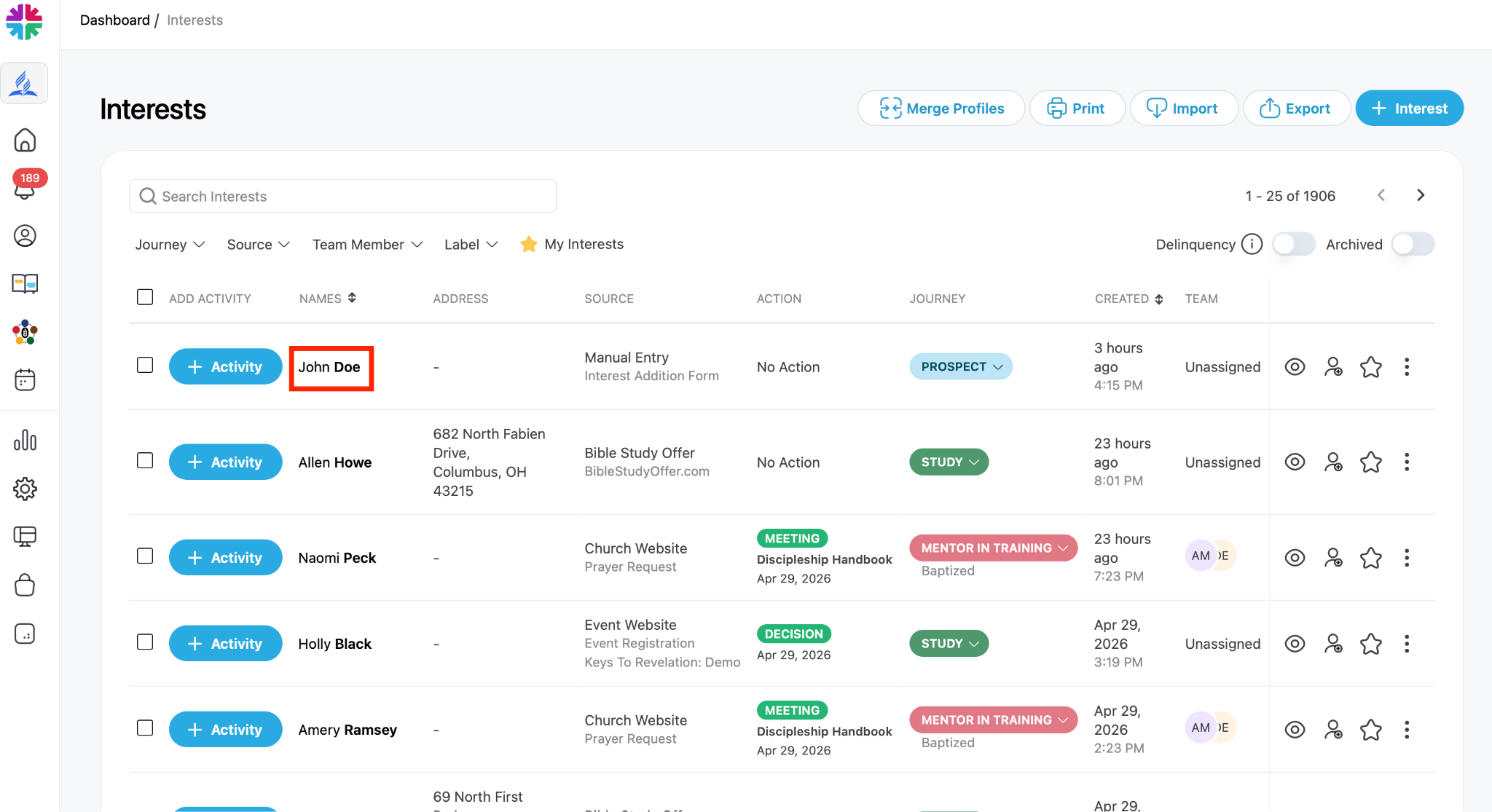
Step 2: Locate the Interest
- Find the person you want to assign
- Review their details if needed (name, source, status, etc.)
Step 3: Assign the Interest
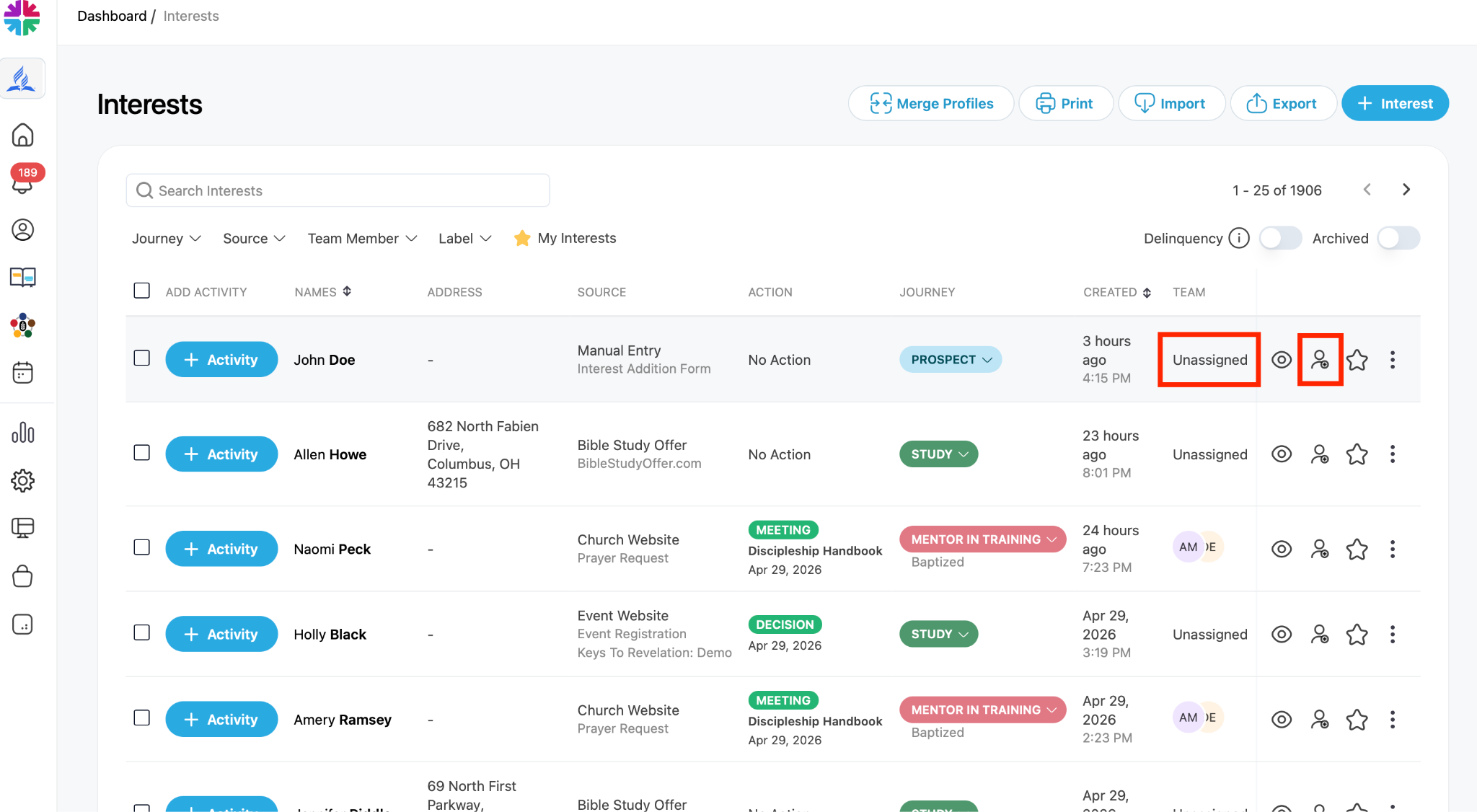
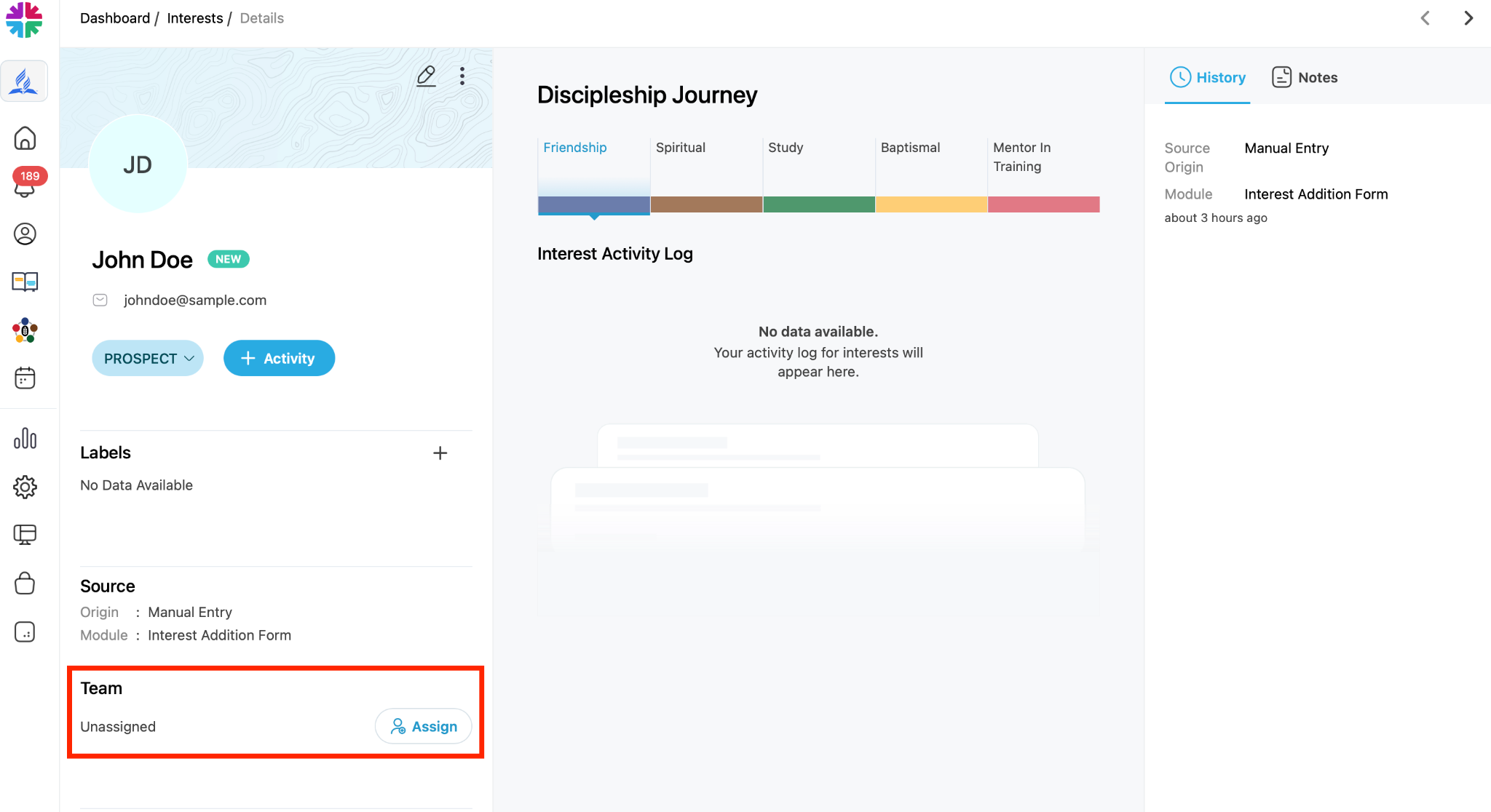
You can assign the interest in one of three ways:
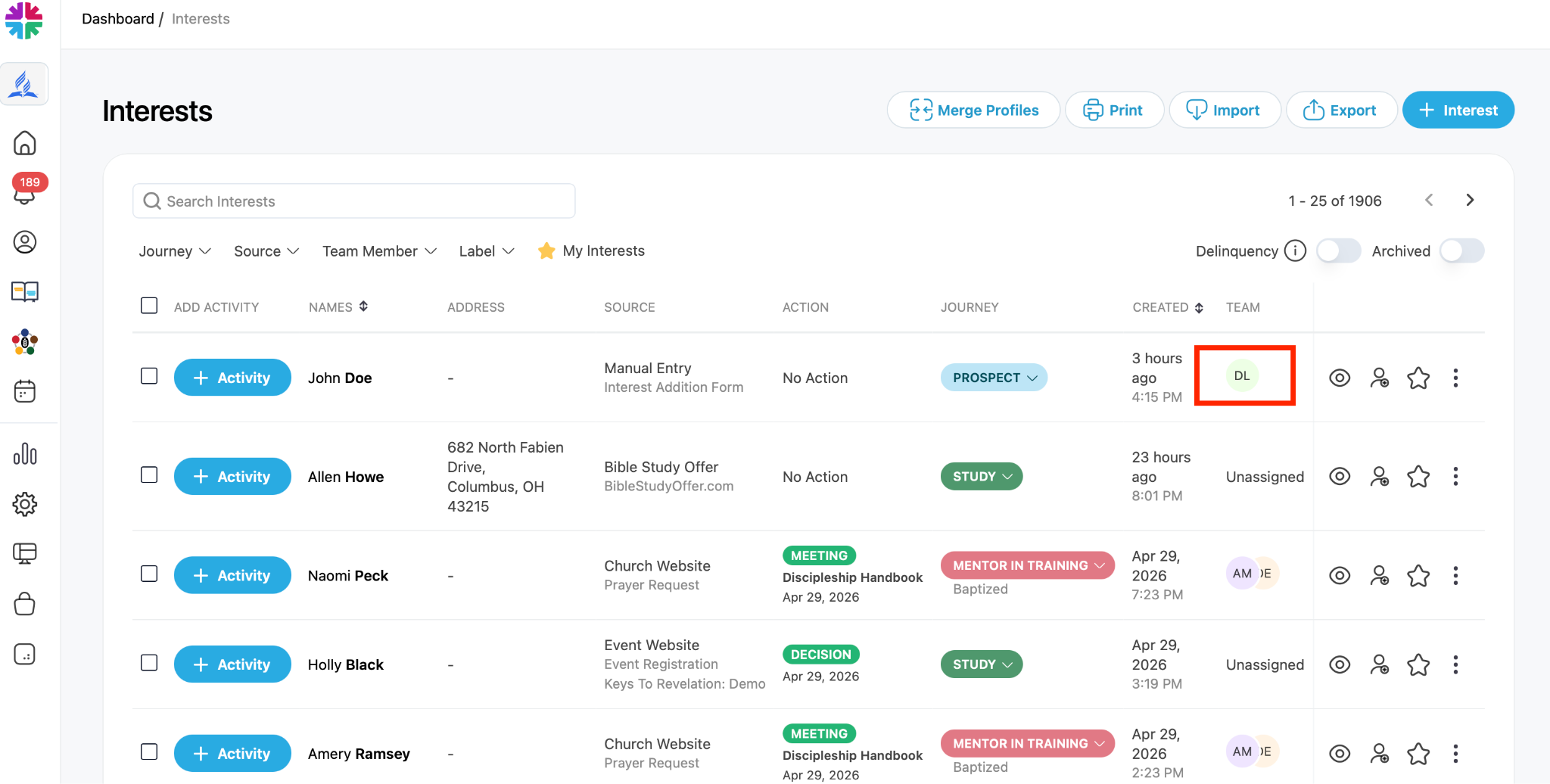
- Click “Unassigned” next to the person’s name
OR - Hover over the assignment area and click “Assign Team”
OR - Open the interest’s profile and scroll down to the “Team” section (below the interest’s details) and select “Assign”
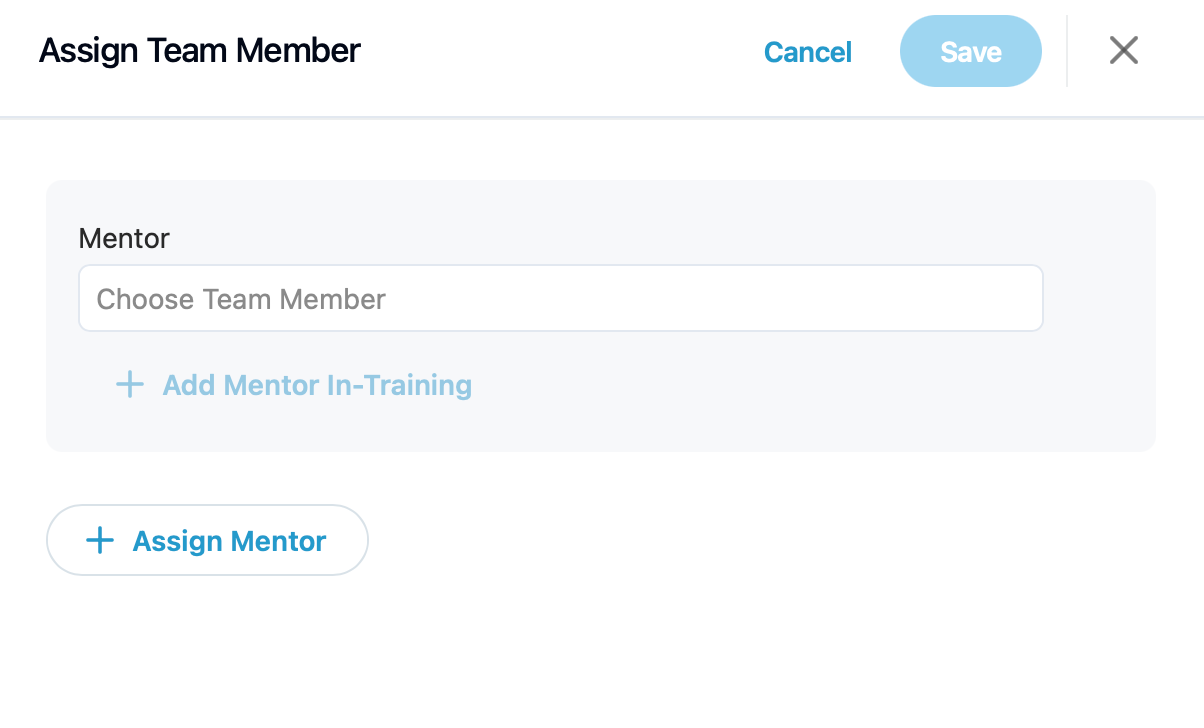
Step 4: Choose a Team Member
- Select a team member from the list
- Click Save
Step 5: Confirm Assignment
- The selected team member will now appear as assigned
- The assigned person will receive an email notification. This team member is now responsible for following up with the interest and should record any progress in the interest’s discipleship journey in One Accord.
Important Notes:
- Assign interests promptly to ensure timely follow-up
- The type of follow-up depends on how the interest entered the system (e.g., prayer request, Bible study request). Remember to take this into consideration when assigning interests to your team members.